
How-to: Link Tests to User Stories
You want to ensure that test cases generated by SQAI are linked to their corresponding Jira User Stories or Requirements.
Updated September 8, 2026
You want to ensure that test cases generated by SQAI are linked to their corresponding Jira User Stories or Requirements.
SQAI does not currently create a "hard link" or automated URL association in your test management tool. This is a deliberate design choice to comply with EU AI Act standards, which prioritize human validation and expert oversight in the audit trail.
Recommended Workflow:
Use ID Prefixes: In your prompt, ask SQAI to include the User Story ID as a prefix in the test case title.
Searchability: This makes the cases instantly searchable within the SQAI datatables and your test management tool.
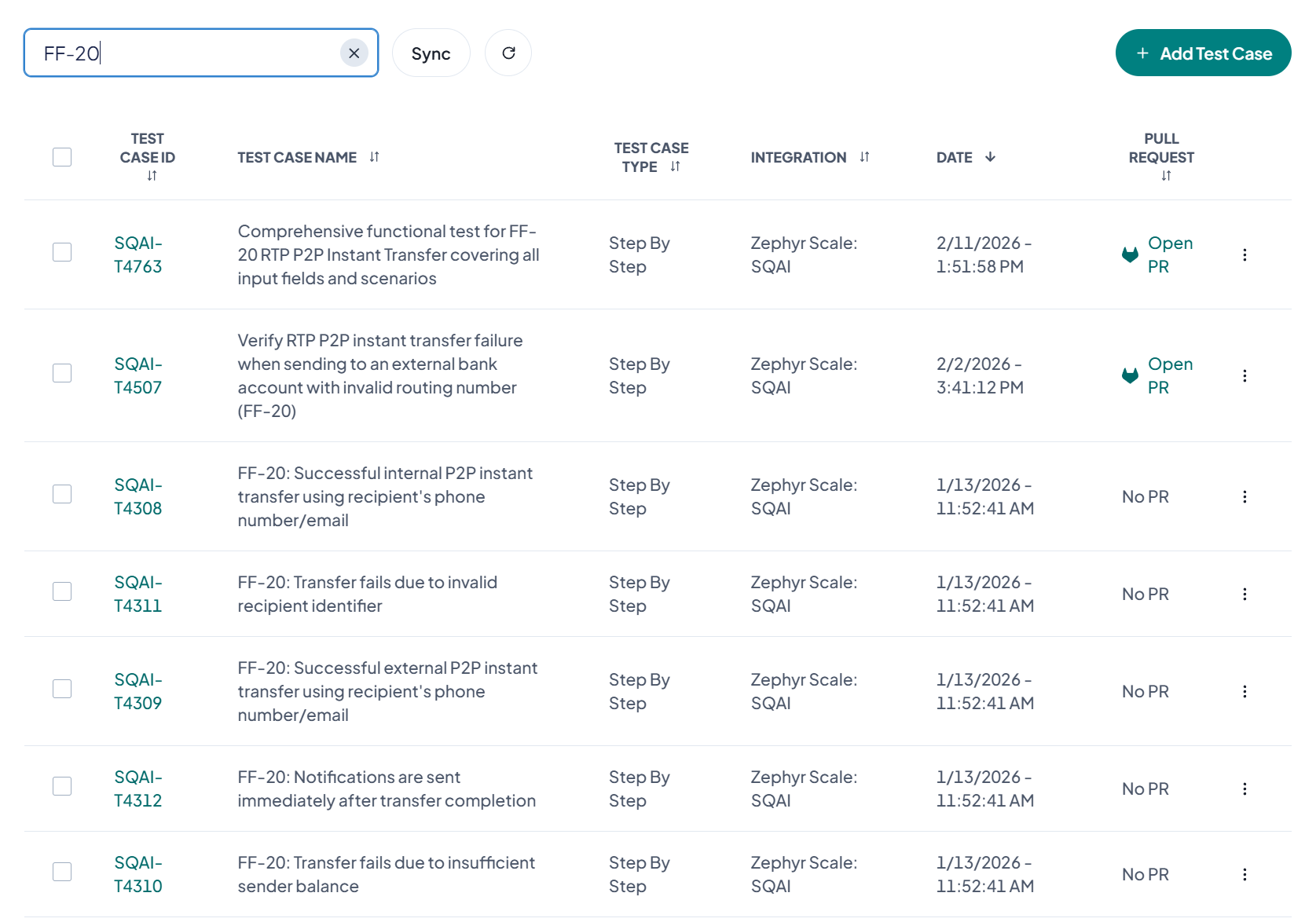
Manual Validation: After the cases are injected, a human expert should finalize the link in your test management tool to confirm the match and maintain human quality control.
Related Articles
Did this answer your question?